App Actions V3
App Actions V3
Write and run JavaScript code directly on the server or client to perform automations, scheduled tasks, and on-demand operations. Each V3 app action is a single execute(context) function that runs ad hoc or on a cron schedule.
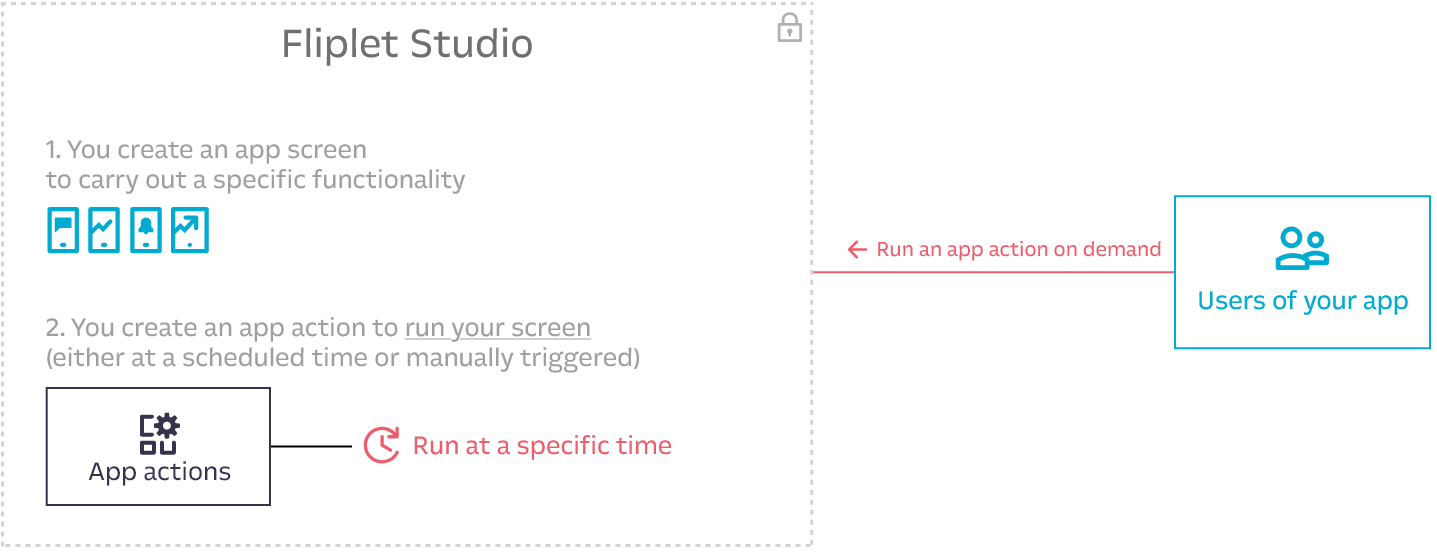
What’s new in V3
- Code-based: Write raw JavaScript instead of configuring visual function pipelines
- Flexible execution: Run on server, client, or both (
any) - Dependencies: Specify Fliplet packages (e.g.,
fliplet-datasources) or external URLs - Scheduling: Use cron expressions for scheduled execution
- Triggers: Execute on events like
manual,schedule,log, oranalytics
Sample use cases
- Weekly reports on app usage via email
- Push notifications to users if users have a booking for today
- Importing RSS feeds daily and notifying users via push notifications when new items are found
- Automatically checkout all check-ins at midnight or on-demand
- Send weekly reminders for users to update their working status
- Integration with third-party tools
- Return data based on user’s rights
Data models and key concepts
- A V3 app action consists of a unique
name, JavaScriptcodedefining anexecute(context)function, and optionaldescription,frequency,timezone,environment,triggersanddependencies. - An app action can be created as scheduled (when using the
frequencyparameter) or to be run on-demand. - An app action runs on the server when
environmentis set toserverorany. - An app action runs on the client side when
environmentis set toclientorany. - App action execution time limits depend on environment: 120 seconds for server-side (
server) and 30 seconds for client-side V3 (client). When the limit is exceeded, the action is killed and a timeout error is returned and saved in the logs. - On-demand actions accept a
payloadobject that is serialized to JSON and sent to the execution backend. The effective maximum payload size is constrained by the transport layer used to invoke the action (in practice, this is typically limited by the maximum URL/query-string length when the payload is sent as a URL-encoded query parameter). Keep payloads small; for larger inputs, store data elsewhere (e.g., a data source or file) and pass a reference (IDs/keys) instead. - The result sent from an on-demand app action is limited to 6MB.
- Scheduled app actions only run the published (production) version of an action. On-demand actions run the version from the same environment they are fired from (e.g., Fliplet Viewer runs the master version, live apps run the production version).
- An action must have
activeset totrueto be executed. Inactive actions do not run regardless of whether they are on-demand, scheduled, or triggered by events. - If a scheduled action fails, the error is logged and the execution is skipped. Scheduled actions do not retry on failure — they wait for the next cron tick.
- Every create, update, and restore snapshots the action’s configuration to a version history. Up to 100 versions are retained per action; older snapshots are pruned automatically. Snapshotting is best-effort and never blocks the create/update response. See Version history.
Execution environments
| Environment | Description | Allowed triggers |
|---|---|---|
server |
Executes on server via Lambda/Puppeteer | schedule, log, manual |
client |
Executes in user’s browser | analytics, manual |
any |
Can execute on both server and client | All triggers |
The analytics trigger can only run in the client or any environment. Setting it on a server environment returns a TRIGGER_NOT_ALLOWED error. The schedule and log triggers can only run in the server or any environment.
Master vs production lifecycle
Actions have two versions: master (development) and production (live).
create()always creates a master action.update()can only update the master action. You can not update a production action directly — update the master and republish.publish()copies the current master action to production. The app itself must be published first.unpublish()removes the production version. The master version remains.remove()deletes the master action. If a production version exists, it is also deleted. You can not delete a production action directly.- Scheduled actions (
scheduletrigger) only run the published (production) version. - On-demand actions (
manualtrigger) run the version from the environment they are fired from (master in Fliplet Viewer, production in live apps). - Log-triggered actions run the published (production) version on the server.
- Analytics-triggered actions run the version loaded in the client (production in live apps, master in Fliplet Viewer).
Writing action code
The code field must contain a valid JavaScript function named execute that accepts a context parameter:
async function execute(context) {
  // Your action logic here

  return {
    // Return value (accessible when using runWithResult)
  };
}
Requirements:
| Requirement | Description |
|---|---|
| Function name | Must be execute |
| Async | Must be declared as async function |
| Parameter | Must accept context as the first parameter |
| Return value | Should return a value/object (available via runWithResult) |
| Dependencies | Code using Fliplet APIs must include corresponding dependencies |
The function must be named execute. Any other name causes a CODE_VALIDATION_FAILED error. The function does not receive any parameters beyond context — all input data is inside context.payload.
Do not use Handlebars {{ }} syntax in action code. Handlebars expressions are not evaluated inside app actions and will cause unexpected behavior or errors. Use JavaScript template literals (${}) with backtick strings instead. For example: `Hello ${context.payload.name}`
Supported function formats
// Traditional async function declaration
async function execute(context) {
  return { success: true };
}

// Arrow function with const
const execute = async (context) => {
  return { success: true };
};

// Arrow function with let
let execute = async (context) => {
  return { success: true };
};

// Async function expression
const execute = async function(context) {
  return { success: true };
};
Context object
The context parameter is an object with a single property: payload. The context object does not contain any other properties — no appId, no userId, no environment. All input data comes through context.payload.
The contents of context.payload differ by trigger type. See the detailed breakdown below.
context.payload for manual trigger
Contains whatever object you pass as the second argument to run() or runWithResult(). If you do not pass a payload, context.payload is an empty object {}.
// When called with:
// Fliplet.App.V3.Actions.runWithResult('confirm-booking', { entryId: 123, name: 'Nick' })

async function execute(context) {
  // context.payload is exactly: { entryId: 123, name: 'Nick' }
  const entryId = context.payload.entryId; // 123
  const name = context.payload.name;       // 'Nick'

  return { received: true };
}
context.payload for schedule trigger
An empty object {}. Scheduled actions do not receive any input data. If your scheduled action needs data, fetch it from a data source or external API inside the execute function.
async function execute(context) {
  // context.payload is: {}
  // There is no data passed to scheduled actions — fetch what you need:
  const connection = await Fliplet.DataSources.connect(158);
  const entries = await connection.find();

  return { count: entries.length };
}
context.payload for log trigger
Contains the trigger type and the full log entry object that matched the where filter. The payload has this exact structure:
// context.payload structure for log triggers:
{
  "trigger": "log",          // Always the string "log"
  "log": {                   // The full log entry object
    "id": 182175045,                    // Number — unique log entry ID
    "userId": 409996,                   // Number — ID of the user who caused the event
    "appId": 445423,                    // Number — ID of the app
    "organizationId": 2845,            // Number — ID of the organization
    "dataSourceId": 1735533,           // Number — ID of the data source (for data source events)
    "dataSourceEntryId": 413923630,    // Number — ID of the entry (for entry-level events)
    "appNotificationId": null,         // Number or null — notification ID if applicable
    "sessionId": 10563550,             // Number — session ID
    "requestId": "f0058980-1def-11f1-a60f-4d7c40bda5b0", // String — unique request ID
    "type": "dataSource.entry.create", // String — the log event type
    "data": {                          // Object — event-specific data
      "columns": ["Department"],
      "_userEmail": "[email protected]"
    },
    "dataString": "{\"columns\": [\"Department\"], \"_userEmail\": \"[email protected]\"}", // String — JSON-stringified version of data
    "createdAt": "2026-03-12T08:46:18.813Z", // String (ISO 8601)
    "updatedAt": "2026-03-12T08:46:18.813Z"  // String (ISO 8601)
  }
}
Example usage:
async function execute(context) {
  // Access the log entry that triggered this action
  const logEntry = context.payload.log;

  // logEntry.type tells you what event occurred
  const eventType = logEntry.type; // e.g., 'dataSource.entry.create'

  // logEntry.data contains event-specific details
  const userEmail = logEntry.data._userEmail;

  // logEntry.dataSourceEntryId is the ID of the created/updated/deleted entry
  const entryId = logEntry.dataSourceEntryId;

  return { eventType: eventType, entryId: entryId };
}
context.payload for analytics trigger
Contains the analytics event that matched the where filter. The payload has this exact structure:
// context.payload structure for analytics triggers:
{
  "createdAt": 1773305212383,    // Number — Unix timestamp in milliseconds
  "type": "analytics.pageView",  // String — the analytics event type
  "data": {                      // Object — event-specific data
    "_pageTitle": "Employee Directory",                          // String — title of the screen
    "_platform": "web",                                          // String — "web" or "native"
    "_os": "Win32",                                              // String — operating system
    "_analyticsSessionId": "f6de95cb-e69b-5dca-2114-cc3961d379b2", // String (UUID)
    "_pageId": 1908950,                                          // Number — screen ID
    "_deviceTrackingId": "3304672d-5d25-4a01-248a-03e4286f42db"  // String (UUID)
  }
}
The analytics trigger payload does not include a trigger field like the log trigger does. The payload is the event object itself, not wrapped in a container.
Example usage:
async function execute(context) {
  // Access analytics event data directly from context.payload
  const eventType = context.payload.type;          // 'analytics.pageView'
  const screenTitle = context.payload.data._pageTitle; // 'Employee Directory'
  const screenId = context.payload.data._pageId;       // 1908950
  const platform = context.payload.data._platform;     // 'web'

  return { screenTitle: screenTitle, screenId: screenId };
}
Example: simple action
async function execute(context) {
  return { message: 'Hello World', timestamp: Date.now() };
}
Example: action with data source
async function execute(context) {
  // context.payload.filters is passed by the caller via run() or runWithResult()
  const connection = await Fliplet.DataSources.connect(158);
  const result = await connection.find({
    where: context.payload.filters
  });

  return {
    success: true,
    count: result.length,
    result: result
  };
}
// Requires dependency: fliplet-datasources
Example: send an email
async function execute(context) {
  var recipientEmail = '[email protected]'; // replace with your recipient email
  var recipientName = 'Nick';              // replace with your recipient name

  await Fliplet.Communicate.sendEmail({
    to: [{ email: recipientEmail, name: recipientName, type: 'to' }],
    subject: 'Your booking is confirmed',
    from_name: 'Booking System',
    html: '<h1>Booking Confirmed</h1><p>Hi ' + recipientName + ', your booking has been confirmed.</p>'
  });

  return { success: true, sentTo: recipientEmail };
}
// Requires dependency: fliplet-communicate
Example: send a push notification
async function execute(context) {
  // Send a push notification to all subscribed users
  var notification = await Fliplet.Notifications.insert({
    status: 'published',
    data: {
      title: 'Daily Update',
      message: 'Your daily report is ready to view.',
      navigate: { action: 'screen', page: 54321 } // replace 54321 with your screen ID
    },
    pushNotification: {
      payload: {
        title: 'Daily Update',
        body: 'Your daily report is ready to view.'
      }
    }
  });

  return { success: true, notificationId: notification.id };
}
// Requires dependency: fliplet-notifications
Dependencies
If your action code uses Fliplet APIs, you must include the corresponding package in the dependencies array. Dependencies can be Fliplet package names or external URLs.
dependencies: [
  'fliplet-datasources',
  'fliplet-media',
  'https://cdnjs.cloudflare.com/ajax/libs/moment.js/2.30.1/moment.min.js'
]
When your code uses any Fliplet API (e.g., Fliplet.DataSources), the corresponding package must be listed in the dependencies array. Omitting a required dependency causes a CODE_VALIDATION_FAILED error. The system does not auto-detect dependencies from your code.
Common Fliplet packages
| Package | Required when using | Description | API Reference |
|---|---|---|---|
fliplet-datasources |
Fliplet.DataSources |
Data Sources API — connect, find, insert, update, remove entries | Data Sources JS API |
fliplet-media |
Fliplet.Media |
Media API — upload, retrieve, and manage media files | Media JS API |
fliplet-communicate |
Fliplet.Communicate |
Communication API — send emails, push notifications, SMS | Communicate JS API |
fliplet-barcode |
Fliplet.Barcode |
Barcode API — generate and scan barcodes | Barcode JS API |
fliplet-audio |
Fliplet.Audio |
Audio API — record and play audio | Audio JS API |
fliplet-csv |
Fliplet.CSV |
CSV API — parse and generate CSV data | CSV JS API |
fliplet-encryption |
Fliplet.Encryption |
Encryption API — encrypt and decrypt data | Encryption JS API |
fliplet-notifications |
Fliplet.Notifications |
Notifications API — manage and send push notifications | Notifications JS API |
Quick reference: key method signatures
fliplet-datasources — Full API reference
var connection = await Fliplet.DataSources.connect(dataSourceId);
var connection = await Fliplet.DataSources.connectByName("DataSourceName");
var records = await connection.find({ where: { Column: 'value' } });
var record = await connection.findById(entryId);
var record = await connection.findOne({ where: { Column: 'value' } });
await connection.insert({ Column: 'value', Column2: 'value2' });
await connection.update(entryId, { Column: 'newValue' });
await connection.removeById(entryId);
await connection.commit({ entries: arrayOfObjects }); // bulk replace all entries
fliplet-communicate — Full API reference
// Send email
await Fliplet.Communicate.sendEmail({
  to: [{ email: '[email protected]', name: 'User', type: 'to' }],
  subject: 'Subject line',
  from_name: 'Sender Name',
  html: '<p>Email body HTML</p>'
});

// Send SMS
await Fliplet.Communicate.sendSMS({
  data: { to: '+123456789', body: 'Message text' }
});

// Send push notification (only app publishers/editors can send)
await Fliplet.Communicate.sendPushNotification(appId, {
  title: 'Notification title',
  body: 'Notification message',
  sandbox: false // true = only Fliplet Viewer users (testing)
});
fliplet-notifications — Full API reference
// Send a push notification to all users subscribed to the app
var notification = await Fliplet.Notifications.insert({
  status: 'published',
  data: {
    title: 'Booking Reminder',
    message: 'You have a booking scheduled for today.',
    navigate: { action: 'screen', page: 54321 } // replace 54321 with your screen ID
  },
  pushNotification: {
    payload: {
      title: 'Booking Reminder',
      body: 'You have a booking scheduled for today.'
    }
  }
});
// notification — the created notification object
fliplet-media — Full API reference
var response = await Fliplet.Media.Folders.get({ folderId: folderId });
// response.files, response.folders
await Fliplet.Media.Files.upload({ folderId: folderId, file: fileBlob });
Dependency auto-selection rule
When writing action code, match each Fliplet.* namespace used in the execute function to its corresponding package and include it in the dependencies array:
- Code uses
Fliplet.DataSources→ addfliplet-datasources - Code uses
Fliplet.Communicate→ addfliplet-communicate - Code uses
Fliplet.Media→ addfliplet-media - Code uses
Fliplet.Barcode→ addfliplet-barcode - Code uses
Fliplet.Audio→ addfliplet-audio - Code uses
Fliplet.CSV→ addfliplet-csv - Code uses
Fliplet.Encryption→ addfliplet-encryption - Code uses
Fliplet.Notifications→ addfliplet-notifications
If the code uses multiple Fliplet APIs, include all corresponding packages. For example, code that reads from a data source and sends an email needs both fliplet-datasources and fliplet-communicate.
For external libraries, you can use any URL from the Fliplet approved libraries list in the dependencies array.
Action triggers
An action can be triggered by a system event or manually. Configure triggers using the triggers property, which accepts an array of trigger configuration objects.
Trigger object structure
Each trigger in the triggers array is an object with these properties:
| Property | Type | Required | Description |
|---|---|---|---|
trigger |
String | Yes | One of: manual, schedule, log, analytics |
where |
Object | Required for log and analytics. Not used for manual or schedule. |
Filter object specifying which events should trigger the action |
Trigger types
| Trigger | Allowed environments | Description |
|---|---|---|
manual |
server, client, any |
Triggered programmatically via run() or runWithResult() |
schedule |
server, any |
Triggered automatically by the cron schedule defined in frequency. Does not work with client environment. |
log |
server, any |
Triggered automatically when an app log event matches the where filter. Does not work with client environment. |
analytics |
client, any |
Triggered automatically in the user’s browser when an analytics event matches the where filter. Does not work with server environment. |
manual trigger
The manual trigger has no where clause. It fires when you call run() or runWithResult().
triggers: [{ trigger: 'manual' }]
schedule trigger
The schedule trigger has no where clause. It fires according to the cron expression in frequency. The frequency and timezone parameters must be set on the action itself (not inside the trigger object).
triggers: [{ trigger: 'schedule' }]
// Also requires: frequency: '0 8 * * 1', timezone: 'Europe/London'
log trigger
The log trigger fires when an app log event matches the where filter. The where object supports these fields:
| Field | Type | Description |
|---|---|---|
type |
String | The log event type to match (see full list below) |
dataSourceId |
Number | Filter to logs for a specific data source (applicable to dataSource.* event types) |
triggers: [
  {
    trigger: 'log',
    where: {
      type: 'dataSource.entry.create',
      dataSourceId: 177
    }
  }
]
Log-triggered actions are scoped to the appId of the app that owns the action. The action only fires for log events that belong to the same app. It does not receive log events from other apps in the organization, even if the where filter matches.
Available log event types
The full list of log event types is documented at Organization audit log types.
Communication events:
| Type | Description |
|---|---|
sms.2fa |
An SMS was sent because of 2FA login |
sms.communicate |
An SMS was sent via JS APIs |
sms.dataSourceHook |
An SMS was sent from a data source hook |
sms.validate |
An SMS was sent because of a data source login |
email.communicate |
An email was sent via Communicate JS APIs |
email.delivered |
An email was delivered to the target recipient |
email.delayed |
An email was delayed and could not be delivered yet |
email.bounced |
An email was bounced back and could not be delivered |
email.complaint |
A complaint was received when attempting to deliver the email |
email.rejected |
An email was not delivered due to the recipient server rejecting it |
email.dataSourceHook |
An email was sent from a data source hook |
email.validate |
An email was sent because of a data source login |
App analytics events:
| Type | Description |
|---|---|
app.analytics.event |
Analytics event logged from app |
app.analytics.pageView |
Screen view logged from app |
app.update |
An app user is checking for published app updates |
app.view |
Screen viewed from web app |
Data source events:
| Type | Description |
|---|---|
dataSource.entry.create |
A data source entry was created |
dataSource.entry.update |
A data source entry was updated |
dataSource.entry.delete |
A data source entry was deleted |
dataSource.event |
A custom event on a data source (unused) |
dataSource.import |
A data source was overwritten via the import JS API |
Media events:
| Type | Description |
|---|---|
mediaFile.create |
A media file was created (uploaded) |
Session events:
| Type | Description |
|---|---|
session.locale.updated |
The current user switched language settings to a new locale |
AI service events:
| Type | Description |
|---|---|
ai.completions |
AI text completion or chat completion was requested |
ai.image |
AI image generation was requested |
ai.audio |
AI audio transcription was requested |
ai.embeddings |
AI text embeddings were created |
analytics trigger
The analytics trigger fires on the client side when an analytics event matches the where filter. The where object supports these fields:
| Field | Type | Description |
|---|---|---|
type |
String | The analytics event type to match (see table below) |
data |
Object | Optional sub-filter on the event data fields (e.g., { _pageId: 77 }) |
triggers: [
  {
    trigger: 'analytics',
    where: {
      type: 'analytics.pageView',
      data: {
        _pageId: 9535
      }
    }
  }
]
To trigger on all screen views (not filtered to a specific screen), omit the data field:
triggers: [
  {
    trigger: 'analytics',
    where: {
      type: 'analytics.pageView'
    }
  }
]
Available analytics event types
| Type | Description |
|---|---|
analytics.pageView |
A screen was viewed in the app |
analytics.event |
A custom analytics event tracked via Fliplet.App.Analytics.event() |
Analytics data fields for analytics.pageView
| Field | Type | Description |
|---|---|---|
_pageTitle |
String | Title of the screen that was viewed |
_platform |
String | Platform: "web" or "native" |
_os |
String | Operating system (e.g., "Win32", "MacIntel") |
_analyticsSessionId |
String (UUID) | Unique session ID for analytics tracking |
_pageId |
Number | ID of the screen that was viewed |
_deviceTrackingId |
String (UUID) | Unique device tracking identifier |
Multiple triggers on one action
An action can have multiple triggers. For example, an action that can be triggered both manually and by analytics events:
triggers: [
  {
    trigger: 'manual'
  },
  {
    trigger: 'analytics',
    where: {
      type: 'analytics.pageView',
      data: {
        _pageId: 9535
      }
    }
  }
]
Create an action
Use Fliplet.App.V3.Actions.create() to create a V3 action. This always creates a master (development) version. To run the action in production/live apps, you must also publish it using publish().
Parameters
| Parameter | Type | Required | Default | Description |
|---|---|---|---|---|
name |
String | Yes | — | Unique name for the action. Only letters, numbers, dashes and underscores. Max 255 characters. Example: send-weekly-report |
code |
String | Yes | — | JavaScript code defining an async function execute(context) function |
description |
String | No | null |
Free-text description of the action’s purpose. Max 1000 characters. Use this for clarity and management of actions in the UI and API responses. |
active |
Boolean | No | false |
Whether the action is enabled. Must be true for the action to execute |
environment |
String | No | "server" |
Execution environment: "server", "client", or "any" |
triggers |
Array | No | [] |
Array of trigger configuration objects |
dependencies |
Array | No | [] |
Array of Fliplet package names (strings) or external URLs (strings) |
frequency |
String | No | null |
Cron expression for scheduled execution (e.g., "0 5 * * *") |
timezone |
String | No | null |
IANA timezone name (e.g., "America/New_York"). See full list |
Return value
Returns a Promise that resolves to the created action object directly (not wrapped in { action }). See Action object structure for the full shape.
Frequency (cron expression)
  ┌───────────── minute (0 - 59)
  │ ┌───────────── hour (0 - 23)
  │ │ ┌───────────── day of the month (1 - 31)
  │ │ │ ┌───────────── month (1 - 12)
  │ │ │ │ ┌───────────── day of the week (0 - 6) (Sunday to Saturday)
  │ │ │ │ │
  │ │ │ │ │
  │ │ │ │ │
  * * * * *
| Frequency | Description |
|---|---|
1 0 * * * |
Run at one minute past midnight (00:01) every day |
0 * * * * |
Run once an hour at the beginning of the hour |
0 0 1 * * |
Run once a month at midnight of the first day of the month |
0 0 * * 0 |
Run once a week at midnight on Sunday morning |
45 23 * * 6 |
Run at 23:45 (11:45PM) every Saturday |
*/5 1 * * * |
Run every 5th minute of every first hour (i.e., 01:00, 01:05, 01:10, up until 01:55) |
0 0 1 1 * |
Run once a year at midnight of 1 January |
Running every minute (* * * * *) is not allowed and returns a FREQUENCY_TOO_FREQUENT error.
The timezone for the frequency is defined via the timezone parameter using the full IANA timezone name, e.g., "Europe/Dublin". If no timezone is specified, the server default is used.
Example timezones:
America/Los_AngelesAmerica/New_YorkEurope/DublinEurope/LondonEurope/Rome
The active parameter defaults to false. You must set active: true when creating an action, otherwise the action will not execute on any trigger (manual, schedule, log, or analytics).
Create a scheduled action
A scheduled action requires: frequency (cron expression), triggers: [{ trigger: 'schedule' }], and environment set to "server" or "any". The action only runs in production after being published with publish().
var result = await Fliplet.App.V3.Actions.create({
  name: 'send-monday-weekly-reminder',
  code: `async function execute(context) {
    // context.payload is {} for scheduled actions — no data is passed
    const connection = await Fliplet.DataSources.connect(158);
    const entries = await connection.find();

    // Send reminder to each entry...

    return { success: true, count: entries.length };
  }`,
  active: true,
  environment: 'server',
  frequency: '0 8 * * 1',   // Every Monday at 8:00 AM
  timezone: 'Europe/Rome',
  triggers: [{ trigger: 'schedule' }],
  dependencies: ['fliplet-datasources']
});

// result — the created action object (returned directly, not wrapped)
// result.id — use this ID to publish, update, or delete the action

// IMPORTANT: You must publish the action for the schedule to be active in production:
// await Fliplet.App.V3.Actions.publish(result.id);
Create an on-demand (manual) action
To run an action on-demand (e.g., triggered by a user), you must include the manual trigger. Without it, run() and runWithResult() cannot execute the action.
var result = await Fliplet.App.V3.Actions.create({
  name: 'confirm-booking',
  description: 'Marks a booking as confirmed and notifies the customer',
  code: `async function execute(context) {
    // context.payload contains whatever was passed to run() or runWithResult()
    // e.g., { entryId: 123, name: 'Nick' }
    const connection = await Fliplet.DataSources.connect(158);
    await connection.update(context.payload.entryId, {
      Status: 'Confirmed',
      ConfirmedBy: context.payload.name
    });

    return { success: true };
  }`,
  active: true,
  environment: 'server',
  triggers: [{ trigger: 'manual' }],
  dependencies: ['fliplet-datasources']
});

// result — the created action object (returned directly, not wrapped)
// result.id — use this ID to run, publish, update, or delete
The description parameter is optional — actions can be created without it, in which case description is null on the returned action object.
Create an action with a log trigger
The log trigger can only run in the server or any environment. Setting it on a client environment returns a TRIGGER_NOT_ALLOWED error.
A log-triggered action fires automatically when an app log event matches the where filter. The full log entry is available in context.payload.log.
var result = await Fliplet.App.V3.Actions.create({
  name: 'notify-on-new-entry',
  code: `async function execute(context) {
    // context.payload.trigger is always "log"
    // context.payload.log contains the full log entry
    var logEntry = context.payload.log;
    var entryId = logEntry.dataSourceEntryId; // ID of the created entry
    var userEmail = logEntry.data._userEmail;  // Email of the user who created it

    // Example: send a notification or update another data source
    var connection = await Fliplet.DataSources.connect(200);
    await connection.insert({
      Event: 'New entry created',
      EntryId: entryId,
      CreatedBy: userEmail,
      SourceDataSourceId: logEntry.dataSourceId,
      Timestamp: logEntry.createdAt
    });

    return { success: true, entryId: entryId };
  }`,
  active: true,
  environment: 'server',
  triggers: [
    {
      trigger: 'log',
      where: {
        type: 'dataSource.entry.create',
        dataSourceId: 177
      }
    }
  ],
  dependencies: ['fliplet-datasources']
});

// result — the created action object (returned directly, not wrapped)
// The action fires when a new entry is created in data source 177
// IMPORTANT: You must publish the action for the log trigger to be active in production
Create a client-side action with analytics trigger
The analytics trigger can only run in the client or any environment. Setting it on a server environment returns a TRIGGER_NOT_ALLOWED error.
An analytics-triggered action fires automatically in the user’s browser when an analytics event matches the where filter. The analytics event data is available directly in context.payload (not wrapped in a sub-object).
var result = await Fliplet.App.V3.Actions.create({
  name: 'track-employee-directory-visit',
  code: `async function execute(context) {
    // context.payload contains the analytics event directly:
    // { createdAt: 1773305212383, type: 'analytics.pageView', data: { ... } }
    var screenTitle = context.payload.data._pageTitle;  // 'Employee Directory'
    var screenId = context.payload.data._pageId;        // 1908950
    var platform = context.payload.data._platform;      // 'web' or 'native'

    console.log('Screen visited:', screenTitle, 'on', platform);

    return { tracked: true, screenId: screenId };
  }`,
  active: true,
  environment: 'client',
  triggers: [
    {
      trigger: 'analytics',
      where: {
        type: 'analytics.pageView',
        data: {
          _pageId: 77
        }
      }
    }
  ]
});

// result — the created action object (returned directly, not wrapped)
// The action fires in the user's browser when screen 77 is visited
Run an on-demand action
Actions with a manual trigger can be executed using run() (fire and forget) or runWithResult() (wait for the return value). Pass the action name (String) or id (Number) as the first parameter.
Only actions with a manual trigger can be run via run() or runWithResult(). Calling these methods on an action without a manual trigger results in an error. The action must also have active: true.
run(nameOrId, payload) — fire and forget
Queues the action for execution and returns immediately. You do not get the return value of execute().
- Parameters:
nameOrId(String or Number) — The action name or numeric IDpayload(Optional Object) — Data to pass ascontext.payload.
- Returns: Promise that resolves when the action has been queued (not when it finishes executing).
// Run without payload
await Fliplet.App.V3.Actions.run('confirm-booking');

// Run with payload
await Fliplet.App.V3.Actions.run('confirm-booking', {
  entryId: 123,
  name: 'Nick'
});
// The action has been queued for processing
// No result is returned — use runWithResult() if you need the return value
runWithResult(nameOrId, payload) — wait for result
Executes the action and waits for it to complete. Returns the value from the execute() function.
- Parameters:
nameOrId(String or Number) — The action name or numeric IDpayload(Optional Object) — Data to pass ascontext.payload.
- Returns: Promise that resolves with the return value of the
execute()function. The result is limited to 6MB.
// Run and get the result
var result = await Fliplet.App.V3.Actions.runWithResult('confirm-booking', {
  entryId: 123,
  name: 'Nick'
});
// result is exactly what execute() returned
// e.g., { success: true }
if (result.success) {
  // Booking confirmed
}

// Run by action ID instead of name
var result = await Fliplet.App.V3.Actions.runWithResult(12345, {
  entryId: 123
});
// result is the return value of execute()
Rate limiting: the run action endpoint is limited to 30 requests per minute. Contact the Fliplet team for more details.
Payload size limit: the input payload is serialized to JSON and sent to the execution backend. The effective maximum size is constrained by the transport/infrastructure (commonly the maximum URL/query-string length if the payload is passed as a URL-encoded query parameter). Keep payloads small and pass references (IDs/keys) for large inputs. The result is limited to 6MB.
Get the list of app actions
Use Fliplet.App.V3.Actions.get() to fetch V3 app actions.
Parameters
| Parameter | Type | Required | Default | Description |
|---|---|---|---|---|
limit |
Number | No | 50 | Maximum number of actions to return |
offset |
Number | No | 0 | Number of actions to skip (for pagination) |
Return value
Returns a Promise resolving to:
| Property | Type | Description |
|---|---|---|
actions |
Array | Array of action objects |
pagination |
Object | Pagination metadata |
pagination.total |
Number | Total number of actions |
pagination.hasMore |
Boolean | Whether more actions exist beyond the current page |
var result = await Fliplet.App.V3.Actions.get();
// result.actions — Array of action objects
// result.pagination — { total: Number, hasMore: Boolean }

result.actions.forEach(function (action) {
  console.log(action.id, action.name, action.active);
});

// With pagination
var result = await Fliplet.App.V3.Actions.get({
  limit: 10,
  offset: 0
});
console.log('Total actions:', result.pagination.total);
console.log('Has more:', result.pagination.hasMore);
Action object structure
Every API method that returns an action uses this structure for the action object itself. The methods differ only in how the object is wrapped: getById, create, and update resolve to the action object directly; get returns it inside the actions array; publish returns it under an action property.
{
  "id": 12345,
  "appId": 67890,
  "name": "confirm-booking",
  "description": "Marks a booking as confirmed and notifies the customer",
  "code": "async function execute(context) { return { success: true }; }",
  "active": true,
  "environment": "server",
  "actionVersion": "v3",
  "triggers": [{"trigger": "manual"}],
  "dependencies": ["fliplet-datasources"],
  "assets": [
    {
      "name": "fliplet-datasources",
      "url": "https://cdn.fliplet.com/assets/fliplet-datasources/1.0/datasources.js",
      "path": "assets/fliplet-datasources/1.0/datasources.js"
    }
  ],
  "frequency": null,
  "timezone": null,
  "lastRunAt": "2024-01-15T10:30:00.000Z",
  "createdAt": "2024-01-01T00:00:00.000Z",
  "updatedAt": "2024-01-15T10:30:00.000Z"
}
| Field | Type | Description |
|---|---|---|
id |
Number | Unique action ID. Use this for update(), remove(), publish(), unpublish(), run(), runWithResult() |
appId |
Number | ID of the app this action belongs to |
name |
String | Unique action name within the app |
description |
String or null | Free-text description set on the action, or null if not set |
code |
String | The JavaScript source code |
active |
Boolean | Whether the action is enabled |
environment |
String | "server", "client", or "any" |
actionVersion |
String | Always "v3" for V3 actions |
triggers |
Array | Array of trigger configuration objects |
dependencies |
Array | Array of dependency package names or URLs as provided during creation |
assets |
Array | Resolved asset URLs for each dependency (read-only, populated by the system). Each asset has name (String), url (String), and path (String) |
frequency |
String or null | Cron expression if scheduled, otherwise null |
timezone |
String or null | IANA timezone name if set, otherwise null |
lastRunAt |
String (ISO 8601) or null | Timestamp of the last execution, or null if never run |
createdAt |
String (ISO 8601) | Timestamp when the action was created |
updatedAt |
String (ISO 8601) | Timestamp when the action was last updated |
Get a single action
Use Fliplet.App.V3.Actions.getById() to retrieve a single V3 action by its ID.
- Parameters:
id(Number) — The action ID - Returns: Promise resolving to the action object directly (not wrapped in
{ action })
var result = await Fliplet.App.V3.Actions.getById(12345);
// result — the action object (see Action object structure above)
console.log(result.name);   // 'confirm-booking'
console.log(result.active); // true
Update an action
Use Fliplet.App.V3.Actions.update() to update any property of the master action. You can update name, code, description, active, environment, triggers, dependencies, frequency, and timezone. Include only the properties you want to change — omitted properties remain unchanged. Pass description: null (or an empty string) to clear an existing description.
- Parameters:
id(Number) — The action ID (must be the master action, not the production version)data(Object) — Object with properties to update
- Returns: Promise resolving to the updated action object directly (not wrapped in
{ action })
You can not update a published (production) action directly. Update the master action and call publish() again to push changes to production.
var result = await Fliplet.App.V3.Actions.update(12345, {
  name: 'confirm-booking-v2',
  code: `async function execute(context) {
    return { updated: true };
  }`,
  active: true,
  environment: 'server',
  triggers: [{ trigger: 'manual' }],
  dependencies: []
});
// result — the updated action object (returned directly, not wrapped)
// If this action is published, you must call publish() again to push the changes to production
Temporarily deactivate an action
Update an action with active: false to disable it. Inactive actions do not run on any trigger (manual, schedule, log, or analytics). To reactivate, set active: true and republish if needed.
var result = await Fliplet.App.V3.Actions.update(12345, {
  active: false
});
// Action is now inactive — it will not run until active is set back to true
Delete an action
Use Fliplet.App.V3.Actions.remove() to delete an action. This deletes the master action. If a production version exists, it is also deleted.
- Parameters:
id(Number) — The action ID (must be the master action) - Returns: Promise that resolves when the action has been deleted
You can not delete a production action directly. Delete the master action instead, which also removes the production version.
await Fliplet.App.V3.Actions.remove(12345);
// Both master and production versions have been deleted
Publish an action
Use Fliplet.App.V3.Actions.publish() to copy the master action to production. Only published actions run in live apps. The app itself must be published first.
- Parameters:
id(Number) — The action ID - Returns: Promise resolving to
{ action: <published production action object> }
var result = await Fliplet.App.V3.Actions.publish(12345);
// result.action — the published production action object
If the app has not been published, publish() returns an APP_NOT_PUBLISHED error. Publish the app first, then publish the action.
Unpublish an action
Use Fliplet.App.V3.Actions.unpublish() to remove an action from production. The master version remains and can be republished later.
- Parameters:
id(Number) — The action ID - Returns: Promise that resolves when the action has been unpublished
await Fliplet.App.V3.Actions.unpublish(12345);
// The action no longer runs in live apps
// The master version still exists and can be edited and republished
Version history
Every time a V3 action is created, updated, or restored, the platform stores a snapshot of its configuration in a version history. This lets you browse how an action changed over time and roll back to an earlier configuration.
Version history is accessed through the REST API. Call the endpoints directly, or from app code via Fliplet.API.request(). All examples below use Fliplet.API.request().
The endpoints are served from your region’s API host, the same hosts used elsewhere:
EUhttps://api.fliplet.comUShttps://us.api.fliplet.comCAhttps://ca.api.fliplet.com
All three endpoints require editor permissions on the master app, and the action must be a V3 action.
How snapshots are created
| When | action value on the snapshot |
|---|---|
create() |
create |
update() |
update |
restore (before applying the old config) |
pre-restore |
- Snapshots are taken after the create/update succeeds. If snapshotting itself fails, the error is logged to the platform’s error tracking but the API still returns success — versioning never blocks a write.
- A maximum of 100 snapshots are kept per action. When a new snapshot pushes the count over 100, the oldest snapshots are pruned.
- Restoring an action first takes a
pre-restoresnapshot of the current configuration, so a restore is itself undo-able (restore thepre-restoreversion to get back to where you were). - Deleting an action cascades to its version history — all snapshots for that action are removed.
What a snapshot contains
Each snapshot stores the full action configuration at that point in time:
name, description, active, frequency, timezone, triggers, environment, code, actionVersion, dependencies, assets, plus the internal functions, widgetInstanceIds, masterTaskId, and productionTaskId fields. For V3 actions, functions and widgetInstanceIds are empty. The snapshot also records the action reason (create, update, or pre-restore).
List version history
Returns the snapshots for an action, most recent first. The list payload is a lightweight summary — only the fields listed in the table below are included; all other fields (code, dependencies, assets, timezone, triggers, functions, widgetInstanceIds, masterTaskId, productionTaskId, actionVersion) are omitted. Fetch a single version to get the full snapshot.
GET /v3/apps/:appId/actions/:actionId/versions
Query parameters:
| Parameter | Type | Required | Default | Description |
|---|---|---|---|---|
limit |
Number | No | 50 | Maximum number of versions to return (max 100) |
offset |
Number | No | 0 | Number of versions to skip (for pagination) |
Summary fields returned per version:
| Field | Type | Description |
|---|---|---|
id |
Number | Unique version ID. Use this with the get/restore endpoints |
createdAt |
String (ISO 8601) | When the snapshot was taken |
userId |
Number or null | ID of the user who triggered the snapshot |
user |
Object or null | { id, firstName, lastName, email } of that user, when available |
action |
String | Reason for the snapshot: create, update, or pre-restore |
name |
String | Action name at the time of the snapshot |
description |
String or null | Description at the time of the snapshot |
active |
Boolean | Whether the action was active |
environment |
String | server, client, or any |
frequency |
String or null | Cron expression, if scheduled |
var response = await Fliplet.API.request({
  url: 'v3/apps/' + appId + '/actions/' + actionId + '/versions',
  method: 'GET'
});
// response.status — "VERSIONS_LISTED"
// response.versions — array of version summaries (most recent first)
// response.pagination — { limit, offset, total, hasMore }

response.versions.forEach(function (version) {
  console.log(version.id, version.action, version.createdAt);
});
Example response:
{
  "status": "VERSIONS_LISTED",
  "versions": [
    {
      "id": 5012,
      "createdAt": "2026-05-21T13:07:15.000Z",
      "userId": 409996,
      "user": { "id": 409996, "firstName": "Nick", "lastName": "Smith", "email": "[email protected]" },
      "action": "update",
      "name": "confirm-booking",
      "description": "Marks a booking as confirmed and notifies the customer",
      "active": true,
      "environment": "server",
      "frequency": null
    }
  ],
  "pagination": { "limit": 50, "offset": 0, "total": 12, "hasMore": false }
}
Get a single version
Returns the full snapshot for one version, including code, dependencies, and assets.
GET /v3/apps/:appId/actions/:actionId/versions/:versionId
var response = await Fliplet.API.request({
  url: 'v3/apps/' + appId + '/actions/' + actionId + '/versions/' + versionId,
  method: 'GET'
});
// response.status — "VERSION_RETRIEVED"
// response.version.data — the full configuration snapshot
Example response:
{
  "status": "VERSION_RETRIEVED",
  "version": {
    "id": 5012,
    "createdAt": "2026-05-21T13:07:15.000Z",
    "userId": 409996,
    "user": { "id": 409996, "firstName": "Nick", "lastName": "Smith", "email": "[email protected]" },
    "data": {
      "action": "update",
      "name": "confirm-booking",
      "description": "Marks a booking as confirmed and notifies the customer",
      "active": true,
      "frequency": null,
      "timezone": null,
      "functions": [],
      "triggers": [{ "trigger": "manual" }],
      "assets": [
        {
          "name": "fliplet-datasources",
          "url": "https://cdn.fliplet.com/assets/fliplet-datasources/1.0/datasources.js",
          "path": "assets/fliplet-datasources/1.0/datasources.js"
        }
      ],
      "environment": "server",
      "widgetInstanceIds": [],
      "masterTaskId": null,
      "productionTaskId": null,
      "code": "async function execute(context) { return { success: true }; }",
      "actionVersion": "v3",
      "dependencies": ["fliplet-datasources"]
    }
  }
}
A versionId that does not exist for this action returns a 404 with status VERSION_NOT_FOUND.
Restore a version
Overwrites the action’s current configuration with the configuration captured in a given snapshot.
POST /v3/apps/:appId/actions/:actionId/versions/:versionId/restore
The restore:
- Takes a
pre-restoresnapshot of the current configuration first, so the restore can itself be undone. - Restores every field from the snapshot except
masterTaskIdandproductionTaskId(those describe the action’s identity and publish state, not its config). - Re-applies the cron schedule if the restored configuration has a
frequencyand isactive. - Writes an
appAction.v3.restoreaudit log carrying bothrestoredFromVersionIdandpreRestoreVersionId.
var response = await Fliplet.API.request({
  url: 'v3/apps/' + appId + '/actions/' + actionId + '/versions/' + versionId + '/restore',
  method: 'POST'
});
// response.status — "ACTION_RESTORED"
// response.action — the action object after the restore
// response.restoredFromVersionId — the version that was restored
// response.preRestoreVersionId — the snapshot of the state right before this restore
Example response:
{
  "status": "ACTION_RESTORED",
  "action": { "id": 12345, "name": "confirm-booking", "active": true, "environment": "server", "isPublished": false },
  "restoredFromVersionId": 5012,
  "preRestoreVersionId": 5040
}
You can not restore a published (production) action. Restoring returns a 403 with status CANNOT_RESTORE_PRODUCTION — restore the master action and republish instead.
If the snapshot's name now collides with a different action in the same app, the restore returns a 409 with status NAME_ALREADY_EXISTS. Rename or remove the conflicting action first.
Get the logs for an action
Each time an action runs, a log record is generated. Use Fliplet.App.V3.Actions.getLogs() to fetch these logs.
Parameters
| Parameter | Type | Required | Default | Description |
|---|---|---|---|---|
id |
Number | No | — | Filter logs to a specific action ID. If omitted, returns logs for all actions in the app. |
where |
Object | No | — | Filter logs by conditions. Supports type ("app.task.failed" or "app.task.completed"), and data object with taskId (Number) |
limit |
Number | No | 50 | Maximum number of log entries to return |
offset |
Number | No | 0 | Number of log entries to skip (for pagination) |
Return value
Returns a Promise resolving to:
| Property | Type | Description |
|---|---|---|
count |
Number | Number of log entries returned |
logs |
Array | Array of log entry objects (most recent first) |
Log entry object structure
Each log entry has this structure:
| Field | Type | Description |
|---|---|---|
id |
Number | Unique log entry ID |
type |
String | Either "app.task.completed" (success) or "app.task.failed" (failure) |
createdAt |
String (ISO 8601) | Timestamp when the action execution finished |
data |
Object | Execution details (see below) |
The data object contains:
| Field | Type | Present | Description |
|---|---|---|---|
mode |
String | Always | "scheduled" for schedule-triggered runs, "on-demand" for manual/log/analytics-triggered runs |
runOn |
String | Always | "server" or "client" |
taskId |
Number | Always | The action ID that was executed |
payload |
Object | Always | The payload that was passed to the action. Empty {} for scheduled actions. For log triggers, contains the { trigger, log } object. |
duration |
Number | Always | Execution time in milliseconds |
actionVersion |
String | Always | Always "v3" |
result |
Object | On success (on-demand only) | { data: <return value of execute()>, success: true }. Not present for successful scheduled runs. |
error |
Object | On failure only | Error details: { name: "ErrorType", message: "description", stack: "..." } |
Example: successful on-demand log entry
{
  "id": 182174085,
  "type": "app.task.completed",
  "createdAt": "2026-03-12T08:38:49.315Z",
  "data": {
    "mode": "on-demand",
    "runOn": "server",
    "taskId": 130059,
    "payload": { "userId": 42, "testKey": "testValue" },
    "duration": 666,
    "actionVersion": "v3",
    "result": {
      "data": { "type": "manual", "success": true },
      "success": true
    }
  }
}
Example: successful scheduled log entry
{
  "id": 182173156,
  "type": "app.task.completed",
  "createdAt": "2026-03-12T08:35:03.650Z",
  "data": {
    "mode": "scheduled",
    "runOn": "server",
    "taskId": 130057,
    "duration": 747,
    "actionVersion": "v3"
  }
}
Successful scheduled log entries do not include a result property, even if the execute() function returns a value.
Example: failed action log entry
{
  "id": 182173910,
  "type": "app.task.failed",
  "createdAt": "2026-03-12T08:37:51.254Z",
  "data": {
    "mode": "on-demand",
    "runOn": "server",
    "taskId": 130058,
    "payload": {},
    "duration": 493,
    "actionVersion": "v3",
    "error": {
      "name": "ReferenceError",
      "message": "myVariable is not defined",
      "stack": "ReferenceError: myVariable is not defined\n    at execute ..."
    },
    "result": {
      "error": {
        "name": "ReferenceError",
        "message": "myVariable is not defined",
        "stack": "ReferenceError: myVariable is not defined\n    at execute ..."
      },
      "success": false,
      "errorObject": {}
    }
  }
}
Usage
// Fetch the last 50 action logs for all actions in the app
var response = await Fliplet.App.V3.Actions.getLogs();
// response.count — number of log entries returned
// response.logs — array of log entry objects (most recent first)

response.logs.forEach(function (log) {
  console.log(log.type);          // "app.task.completed" or "app.task.failed"
  console.log(log.data.mode);     // "scheduled" or "on-demand"
  console.log(log.data.duration); // execution time in ms

  if (log.type === 'app.task.failed') {
    console.error('Action', log.data.taskId, 'failed:', log.data.error.message);
  }
});

// Fetch the last 10 logs for a specific action
var response = await Fliplet.App.V3.Actions.getLogs({
  id: 12345,
  limit: 10
});
console.log(response.count, 'logs returned');
console.log(response.logs);

// Fetch only failed logs for a specific action with pagination
var response = await Fliplet.App.V3.Actions.getLogs({
  id: 12345,
  where: {
    type: 'app.task.failed',
    data: { taskId: 12345 }
  },
  limit: 10,
  offset: 0
});
console.log(response.logs); // only failed log entries

// Fetch only successful logs
var response = await Fliplet.App.V3.Actions.getLogs({
  where: {
    type: 'app.task.completed'
  }
});
console.log(response.logs); // only successful log entries
Error responses
All error responses follow this format:
{
  "status": "ERROR_STATUS_CODE",
  "error": "Human-readable error message"
}
Validation errors
| Status | Description |
|---|---|
NAME_REQUIRED |
Action name is required |
NAME_EMPTY |
Action name cannot be empty |
NAME_TOO_LONG |
Name exceeds 255 characters |
NAME_INVALID_CHARS |
Name contains invalid characters (only letters, numbers, dashes and underscores allowed) |
NAME_ALREADY_EXISTS |
Name already used by another action in this app |
DESCRIPTION_INVALID |
Description must be a string |
DESCRIPTION_TOO_LONG |
Description exceeds 1000 characters |
CODE_REQUIRED |
Code is required for V3 actions |
CODE_EMPTY |
Code cannot be empty |
CODE_VALIDATION_FAILED |
Code failed validation — either the execute function is missing, the function is not async, or required dependencies are not listed |
ENVIRONMENT_INVALID |
Invalid environment value (must be "server", "client", or "any") |
FREQUENCY_INVALID |
Invalid cron expression |
FREQUENCY_TOO_FREQUENT |
Frequency is set to run every minute (* * * * *) |
TIMEZONE_INVALID |
Invalid timezone name (must be a valid IANA timezone) |
TRIGGERS_INVALID |
Triggers must be an array |
TRIGGER_TYPE_INVALID |
Invalid trigger type (must be "manual", "schedule", "log", or "analytics") |
TRIGGER_NOT_ALLOWED |
Trigger not allowed for the given environment (e.g., analytics on server, or schedule on client) |
DEPENDENCIES_INVALID |
Invalid dependencies format (must be an array of strings) |
Operational errors
| Status | Description |
|---|---|
ACTION_NOT_FOUND |
No action found with the given ID or name |
ACTION_NOT_V3 |
Action exists but is not a V3 action (it is a legacy V2 action) |
VERSION_NOT_FOUND |
No version found with the given ID for this action |
CANNOT_UPDATE_PRODUCTION |
Cannot update a published action directly — update the master and republish |
CANNOT_DELETE_PRODUCTION |
Cannot delete a production action directly — delete the master action instead |
CANNOT_RESTORE_PRODUCTION |
Cannot restore a published (production) action directly — restore the master action and republish |
CLIENT_ACTION_NOT_RUNNABLE |
Client-only actions cannot be run on the server via run() or runWithResult() |
ACTION_INACTIVE |
Cannot run an inactive action — set active: true first |
APP_NOT_PUBLISHED |
App must be published before publishing an action |
ACTION_NOT_PUBLISHED |
Action is not published (attempting to unpublish an action that is not published) |
EXECUTION_FAILED |
Action execution failed (runtime error in the execute() function) |
PUBLISH_FAILED |
Failed to publish action |
RESTORE_FAILED |
Failed to restore the action to the requested version |
Rate limits
| Operation | Limit |
|---|---|
CRUD operations (get, getById, create, update, remove) and version reads (list / get versions) |
60 requests per 60 seconds |
Run action (run, runWithResult) |
30 requests per 60 seconds |
| Publish / Unpublish / Restore version | 10 requests per 60 seconds |
Rate limits are per app, not per action. Exceeding the limit results in a 429 HTTP status code.
JS API methods summary
| Method | Parameters | Returns | Description |
|---|---|---|---|
Fliplet.App.V3.Actions.get(options) |
{ limit, offset } |
{ actions, pagination } |
List actions with pagination |
Fliplet.App.V3.Actions.getById(id) |
id (Number) |
action (object) |
Get a single action by ID |
Fliplet.App.V3.Actions.create(data) |
See Create parameters | action (object) |
Create a new master action |
Fliplet.App.V3.Actions.update(id, data) |
id (Number), data (Object) |
action (object) |
Update a master action |
Fliplet.App.V3.Actions.remove(id) |
id (Number) |
void | Delete an action (master + production) |
Fliplet.App.V3.Actions.run(nameOrId, payload) |
nameOrId (String/Number), payload (Object) |
Promise |
Queue action for execution, no return value |
Fliplet.App.V3.Actions.runWithResult(nameOrId, payload) |
nameOrId (String/Number), payload (Object) |
Return value of execute() |
Run action and wait for result |
Fliplet.App.V3.Actions.publish(id) |
id (Number) |
{ action } |
Publish master to production |
Fliplet.App.V3.Actions.unpublish(id) |
id (Number) |
void | Remove from production |
Fliplet.App.V3.Actions.getLogs(options) |
{ id, where, limit, offset } |
{ count, logs } |
Get execution logs |
Debug an action
You can debug an action in your browser. To debug app actions, open a browser tab on the action compile endpoint:
URLGET /v3/apps/:appId/actions/:actionId/compile?html
Below are the URLs for different regions
EUhttps://api.fliplet.com/v3/apps/:appId/actions/:actionId/compile?htmlUShttps://us.api.fliplet.com/v3/apps/:appId/actions/:actionId/compile?htmlCAhttps://ca.api.fliplet.com/v3/apps/:appId/actions/:actionId/compile?html
Steps to debug an app action V3
- Open the browser DevTools by pressing the
F12key - Go to Source tab and from the pages find the relevant function JS file
- Put the Debug point in the code you want to debug
- Go to the console and type
Fliplet.App.V3.Actions.runWithResult('action-name', {})to execute the action with an optional payload
Troubleshooting
Whitelist inbound requests from App Actions
If you use an app action to make requests to your server, you may need to whitelist the IP address that Fliplet’s infrastructure uses. Use the relevant IP for your region:
- Canadian customers:
3.98.9.146 - European customers:
52.212.7.119 - US customers:
54.151.38.62